







This calendar is for events run by LPI. Click here for a list of local association events.


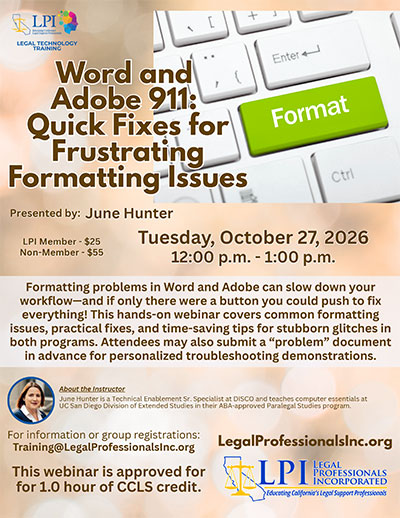
  • Webinar – Word and Adobe 911: Quick Fixes for Frustrating Formatting Issues – October 27, 2026

    Formatting problems in Word and Adobe can slow down your workflow—and if only there were a button you could push to fix everything! This hands-on webinar covers common formatting issues, practical fixes, and time-saving tips for stubborn glitches in both programs. Attendees may also submit a “problem” document in advance for personalized troubleshooting demonstrations.

    View Event

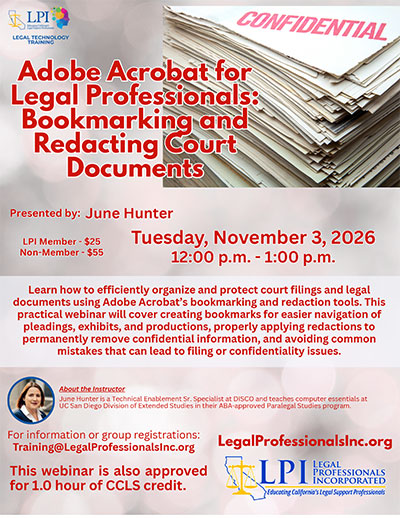
  • Webinar – Adobe Acrobat for Legal Professionals: Bookmarking and Redacting Court Documents – November 3, 2026

    Learn how to efficiently organize and protect court filings and legal documents using Adobe Acrobat’s bookmarking and redaction tools. This practical webinar will cover creating bookmarks for easier navigation of pleadings, exhibits, and productions, properly applying redactions to permanently remove confidential information, and avoiding common mistakes that can lead to filing or confidentiality issues.

    View Event

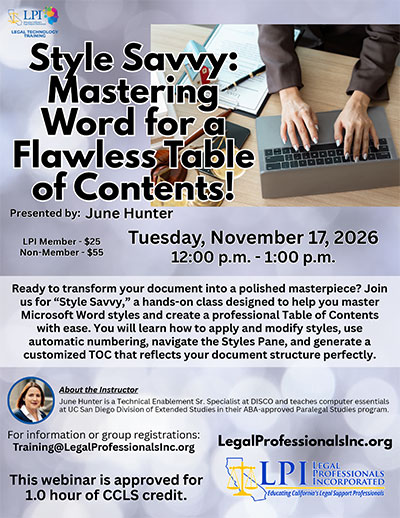
  • Webinar – Style Savvy: Mastering Word for a Flawless Table of Contents! – November 17, 2026

    Ready to transform your document into a polished masterpiece? Join us for “Style Savvy,” a hands-on class designed to help you master Microsoft Word styles and create a professional Table of Contents with ease. You will learn how to apply and modify styles, use automatic numbering, navigate the Styles Pane, and generate a customized TOC that reflects your document structure perfectly.

    View Event

  • Webinar – PowerPoint Essentials for Legal Professionals – December 1, 2026

    Learn the basics of creating clear, professional, and persuasive PowerPoint presentations for client meetings, court presentations, and internal discussions. This course covers slide design, templates and layouts, organizing text and visuals, presenting legal data, and building effective presentations that highlight key arguments and keep your audience engaged.

    View Event


  • Webinar – You’re on Mute! Zoom & Teams Basics for Legal Professionals – January 19, 2027

    This webinar is free for LPI Members!

    Build confidence and get comfortable using Zoom and Microsoft Teams for virtual meetings. The beginner-friendly webinar will cover these essential features legal professionals use every day, including joining and scheduling meetings, navigating controls, using audio and video effectively, sharing your screen, chatting, managing participants, and helpful tips for a smoother meeting experience.

    View Event

  • Webinar – Part I: Microsoft Copilot for Legal Professionals: Practical AI Workflows and Ethical Use – February 9, 2027

    Discover how Microsoft Copilot can help legal professionals work smarter and more efficiently. In this introductory session, we will explore what Copilot is, how it works within Microsoft 365, and practical ways to use it for drafting, research, summarizing, organization, and more. We will also discuss important ethical considerations, data security, and best practices for responsible and effective use if a legal setting.

    View Event

  • Webinar – Part II: Microsoft Copilot for Legal Professionals II: Advanced Workflows & Practical Application – February 16, 2027

    Take your Microsoft Copilot skills to the next level. This advanced session will dive deeper into practical workflows across Word, Excel, Outlook, and Teams, with real-world examples for legal professionals. Learn how to create customized prompts, improve accuracy, streamline complex tasks, and integrate Copilot into your daily workflow, wile continuing to focus on ethical use, data security, and best practices in a legal environment.

    View Event

  • Webinar – Gemini for Legal Professionals: Beyond the Basics – March 2, 2027

    Take your Gemini skills to the next level. This webinar goes beyond the basics to explore advanced features, practical legal workflows, and tips for getting more accurate, useful results. Learn how to leverage Gemini to streamline research, drafting, analysis, and everyday tasks, while also discussing best practices and important considerations for responsible use in a legal environment.

    View Event

  • Webinar – Style Savvy: Mastering Word for a Flawless Table of Contents! – March 16, 2027

    Learn how to create a professional, error-free Table of Contents in Microsoft Word using built-in Tools and styles. This class will walk you through setting up and applying heading styles, generating and updating a Table of Contents, and customizing the format to meet court and firm requirements. You’ll also learn tip and tricks to save time, avoid common issues, and ensure a polished, consistent document every time.

    View Event

  • Webinar – Claude for Legal Professionals: Beyond the Basics – April 6, 2027

    Take your Claude skills to the next level. This webinar goes beyond the basics to explore advanced features, practical legal workflows, and tips for getting more accurate, useful results. Learn how to leverage Claude to streamline research, drafting, analysis, and everyday tasks, while also discussing best practices and important considerations for responsible use in a legal environment.

    View Event

  • Webinar – Creating a Table of Authorities and Index of Defined Terms in Microsoft Word – April 20, 2027

    This webinar will guide you through the process of creating a professional Table of Authorities and an Index of Defined Terms in Microsoft Word. You’ll learn how to use Word’s built-in tools and features to generate accurate, formatted lists, including tips for setting up styles, updating fields, and customizing the appearance to meet court and firm requirements. Practical examples and step-by-step instructions will help you streamline your workflow and save time.

    View Event

  • Add your events to your calendar individually on each event page or....
    Automatically add all of LPI's events to your calendar with AddEvent

    AddEvent Apple
    AddEvent Google
    AddEvent Office365
    AddEvent Outlook
    AddEvent Outlook.com
    AddEvent Yahoo